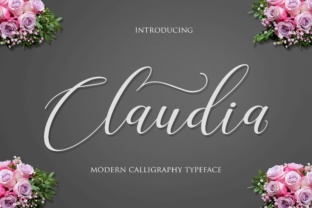
Claudia Script: A Modern Handmade Calligraphy Font for Elegant Design
When you need typography that feels personal, graceful, and undeniably refined, the search often leads to custom lettering or expensive design services. Many digital fonts lack the organic warmth of real handwriting, while handmade scripts can be inconsistent or limited in characters. Claudia Script bridges this gap beautifully. It is a fresh, modern handmade calligraphy font that brings the charm of hand-drawn letters into your digital toolkit. Whether you are planning a wedding, building a brand, or creating custom stationery, this font offers a solution that is both practical and visually stunning.
Claudia Script is not just another script font. It features thin, elegant swashes and decorative characters that mimic the flow of a skilled calligrapher’s pen. With over 650 unique glyphs packed into a single typeface, you have an extraordinary range of stylistic options. This means you can craft unique compositions, add flourishes, and avoid the repetitive look that plagues many fonts. The result is a natural, sophisticated appearance that elevates any project.
Elegance Without Compromise: Why Claudia Script Stands Out
The challenge for many creatives and business owners is finding a font that feels both handmade and professional. You want the authenticity of calligraphy but need the reliability of a digital file. Claudia Script delivers exactly that. Its characters are designed with a handmade aesthetic—slight variations in stroke width, subtle curves, and graceful swashes that connect letters naturally. Yet every glyph is carefully crafted to ensure readability and consistency across different sizes.
Another common pain point is the limited character set in many calligraphy fonts. You may need special ligatures, alternates, or accented letters for multilingual projects. Claudia Script solves this with its extensive library. You get uppercase and lowercase letters, numbers, punctuation, and a wealth of decorative characters. This versatility means you can use the font for everything from a wedding invitation headline to a brand logo without needing to supplement with other typefaces.
For designers, a major consideration is how a font behaves in different applications. Claudia Script works seamlessly in software that supports OpenType features, such as Adobe Illustrator, Photoshop, InDesign, and even some word processors. You can easily access swashes, stylistic alternates, and ligatures to customize each word. This control allows you to create one-of-a-kind designs that still feel cohesive and professional.
Who Benefits Most from Claudia Script?
Claudia Script is ideal for anyone who values elegance and personalization in their visual communications. Here are a few groups that will find it particularly useful:
- Wedding Planners and Invitation Designers: You need a font that captures romance and sophistication. Claudia Script’s thin swashes and decorative characters complement floral motifs, lace patterns, and vintage aesthetics. Use it for save-the-dates, ceremony programs, and thank-you cards. Its extensive glyph set lets you create custom monograms or flourishes that make each invitation feel bespoke.
- Small Business Owners and Entrepreneurs: Branding relies on consistency, but you also want to stand out. Claudia Script works beautifully for logos, business cards, and packaging. The handmade quality conveys authenticity and craftsmanship, which is especially valuable for boutique shops, bakeries, beauty brands, and lifestyle services. You can pair it with a clean sans-serif for a balanced, modern look.
- Graphic Designers and Creative Professionals: When you need a reliable calligraphy font that offers flexibility, Claudia Script is a smart addition to your library. It saves time compared to drawing letters by hand, yet provides the organic feel clients request. Use it for editorial layouts, social media graphics, or signage. The 650+ glyphs give you room to experiment without compromise.
- DIY Enthusiasts and Hobbyists: Not everyone is a trained designer, but you still want professional-looking results for personal projects. Claudia Script is easy to use because the characters are intuitive—just type and your text already looks elegant. Even without advanced software, you can produce beautiful cards, posters, or wall art. The decorative characters add that special touch without requiring extra design skills.
Practical Applications That Deliver Results
Understanding where and how to use Claudia Script makes it a truly practical tool. Its thin, elegant swashes are perfect for formal occasions, but the font adapts well to modern contexts too.
Wedding Invitations and Stationery – The biggest strength of Claudia Script lies in its ability to mimic hand-lettering. Use the swash capitals for the couple’s names, then the lowercase for body text. The decorative characters can frame the date or venue details. Because the font includes multiple alternates for many letters, you can ensure no two invitations look exactly the same. For a cohesive suite, pair Claudia Script with a light serif or sans-serif for addresses and secondary information.
Branding and Logo Design – A logo sets the tone for your entire brand. Claudia Script works exceptionally well for businesses that want to communicate elegance, tradition, or a personal touch. Imagine a bakery logo where the name flows in graceful curves, with a flourish underlining the tagline. For a wedding planner, the font can represent the delicate balance of detail and imagination. The handmade quality signals that you care about the craft.
Cards, Stationery, and Gifts – Greeting cards, thank-you notes, and gift tags become instantly more impressive with calligraphy. Claudia Script allows you to print custom cards at home or send digital files to a print shop. Because the font includes many decorative glyphs, you can add flourishes, hearts, or ornamental lines without needing additional graphics. This is especially useful for small batches or personalized orders.
Social Media and Web Graphics – While Claudia Script shines in print, it also works well for digital use. Use it for quote graphics, Instagram posts, or website headlines. The thin strokes maintain readability at reasonable sizes, though you’ll want to avoid very small text (under 12–14 points) where the swashes might become muddy. For social media, pairing with a bolder sans-serif creates contrast that draws the eye.
Implementation Tips for Optimal Results
Getting the most out of Claudia Script requires a bit of know-how. Here are recommendations for different users:
- For Professional Designers: Dive into the OpenType features. In your design software, enable contextual alternates and stylistic sets to automatically swap default letters with more ornate versions. You can also manually choose alternates from the Glyphs panel to fine-tune each word. Experiment with swash characters for initial and final letters to add dramatic flair.
- For Non-Designers: Keep it simple. Type your text in Claudia Script at a moderate to large size (around 24 points or bigger). Use the default letters—they are already beautiful. If your software supports it, look for a “swash” or “alternates” dropdown to add a few decorative touches. Avoid mixing too many different styles within the same word.
- For Print Projects: Always test on paper before finalizing. Thin strokes may appear even thinner when printed on uncoated paper. Consider using a slightly heavier weight (if available) or increasing the font size. For invitations, laser or inkjet printing on smooth cardstock usually gives the best results. If outsourcing to a professional printer, request a proof to check the swashes.
- For Digital Projects: Use Claudia Script for headlines and short phrases, not body text. The decorative nature can reduce readability at small sizes. Save longer text for a complementary sans-serif font. When exporting to web, use high-resolution images or SVG files to preserve the curves.
Choosing the Right Glyphs for Your Message
One of the most powerful features of Claudia Script is the sheer variety of glyphs. With over 650 options, you can tailor the look of every letter. For example, you might use a standard lowercase ‘e’ for most words, but switch to a swash version for the first letter or last letter of a name. This creates a hand-lettered feel that cannot be replicated by simple keyboard typing.
To access these glyphs, you need software that supports OpenType features. In Adobe applications, you can open the Glyphs panel and scroll through alternates, ligatures, and swashes. Many word processors now include a “Symbol” or “Special Characters” feature that lets you insert alternates. If you are working on a platform that does not support OpenType, you may need to use a font manager or editing tool to create custom words and then paste them.
For a consistent look, decide on a style guide before you start. For example, you might decide to always use the swash version of capital letters when they appear at the beginning of a line, but keep standard lowercase for the rest. This disciplined approach ensures your design remains cohesive while still benefiting from the font’s uniqueness.
How Different Users Approach Claudia Script
No two users will employ Claudia Script exactly the same way, and that is its strength. A wedding stationery designer might focus on the most ornamental swashes and decorative characters to create a rich, traditional look. A brand strategist, on the other hand, may prefer a slightly restrained use of alternates, emphasizing readability over decoration. The font adapts to both philosophies because it gives you control.
For a DIY hobbyist creating a single invitation, the easiest approach is to type the name and date, then scan the glyph palette for a few flourishes to drop in manually. This hands-on method mirrors the way a calligrapher would add final touches. Meanwhile, a professional designer might set up paragraph styles with automatic swash substitutions to speed up production for multiple clients.
Another consideration is pairing Claudia Script with other typefaces. Because it is a script with thin strokes, it pairs well with clean sans-serifs like Montserrat or Open Sans for contrast. For a more vintage feel, combine it with a serif like Playfair Display. The key is to let Claudia Script lead—use it for the focal text and support with neutral, easy-to-read fonts elsewhere.
Final Considerations for Making Claudia Script Work for You
When you invest in a font like Claudia Script, you are buying more than a set of characters. You are purchasing a tool that can transform your design workflow and elevate the final product. The handmade quality brings a human touch that resonates with audiences, especially in an age of mass-produced visuals. The extensive glyph library removes limitations, giving you creative freedom without needing to learn calligraphy yourself.
Remember that not every project calls for heavy decoration. Use Claudia Script selectively—on a wedding invitation, it might be the star; on a business card, a subtle accent. Its thin swashes add elegance, but overuse can become cluttered. Trust your eye and test your designs.
For those ready to explore, start with a single application: a logo, a save-the-date, or a branding element. Experiment with different glyph combinations and pairings. As you grow comfortable, you will discover how Claudia Script solves common design challenges—creating beauty that feels handmade, saving time on custom lettering, and giving you a versatile asset you can reach for again and again.